Linux
Introduction to the Aliyun Drive Command-Line Tool
AliDisk Usage Modify the email and message text on line 260. Thanks to aligo for creating Land Rover (陆虎) — I'm just the one who repaints the body of Landwind (
AliDisk
Usage
python3 -m pip install aligo
python3 alidisk.py
Modify the email and message text on line 260.
Thanks to aligo for creating Land Rover (陆虎) — I'm just the one who repaints the body of Landwind (陆风), nothing worth mentioning. Posting the aligo link as a mark of respect.
Supported Commands & Features
- ls - list the contents of the current directory
- pwd - display the current working directory
- cd - change directory
- mv - move file | directory
- cp - copy file | directory
- rm - remove file | directory
- Filename auto-completion
Known Bugs
- Directories and file names with special characters are not yet supported
- Commands other than those in the above list are not yet supported
Example
1. Log in
Aligo provides two ways to log in: when no receiving email is specified, a QR code is shown directly for scanning to log in; alternatively, an email to receive the QR code can be specified, and the login is completed by scanning the code in the email.

So easy! No more words needed.
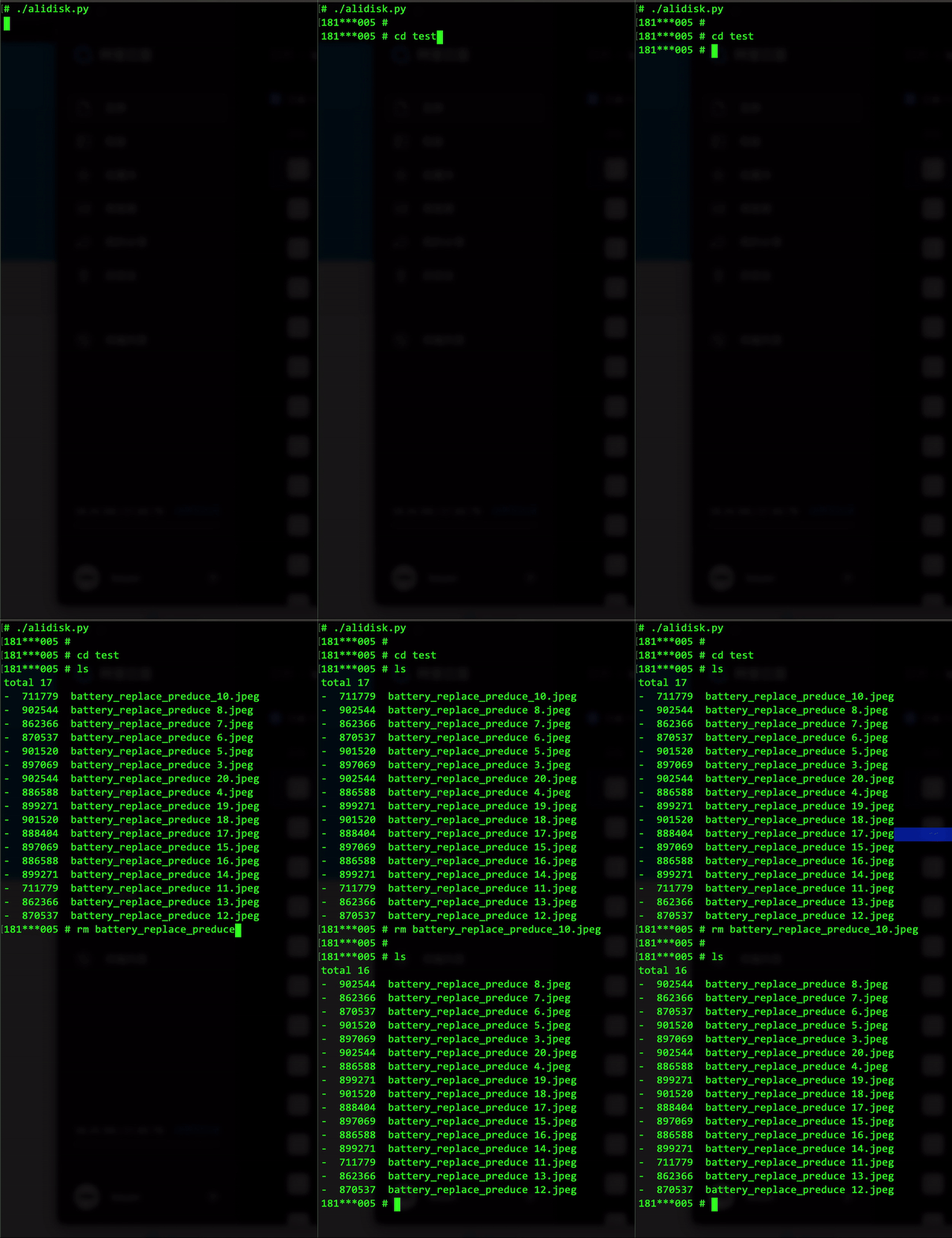
2. List directory contents and delete files
cd test
rm batt<tab>
3. Will add more tomorrow
# todo add support for uploading & downloading files via command line.
◆
评论Comments
加载中…Loading…
留下评论Leave a comment