Linux
Free Grafana Implementation for Strava Workout Data Visualization
Effect Diagram Strava Configuration 2.1 API Setup 2.1.1 Strava API login 2.1.2 Create APP Application Name: The app name, custom; Category: I don't really know
1. Effect Diagram
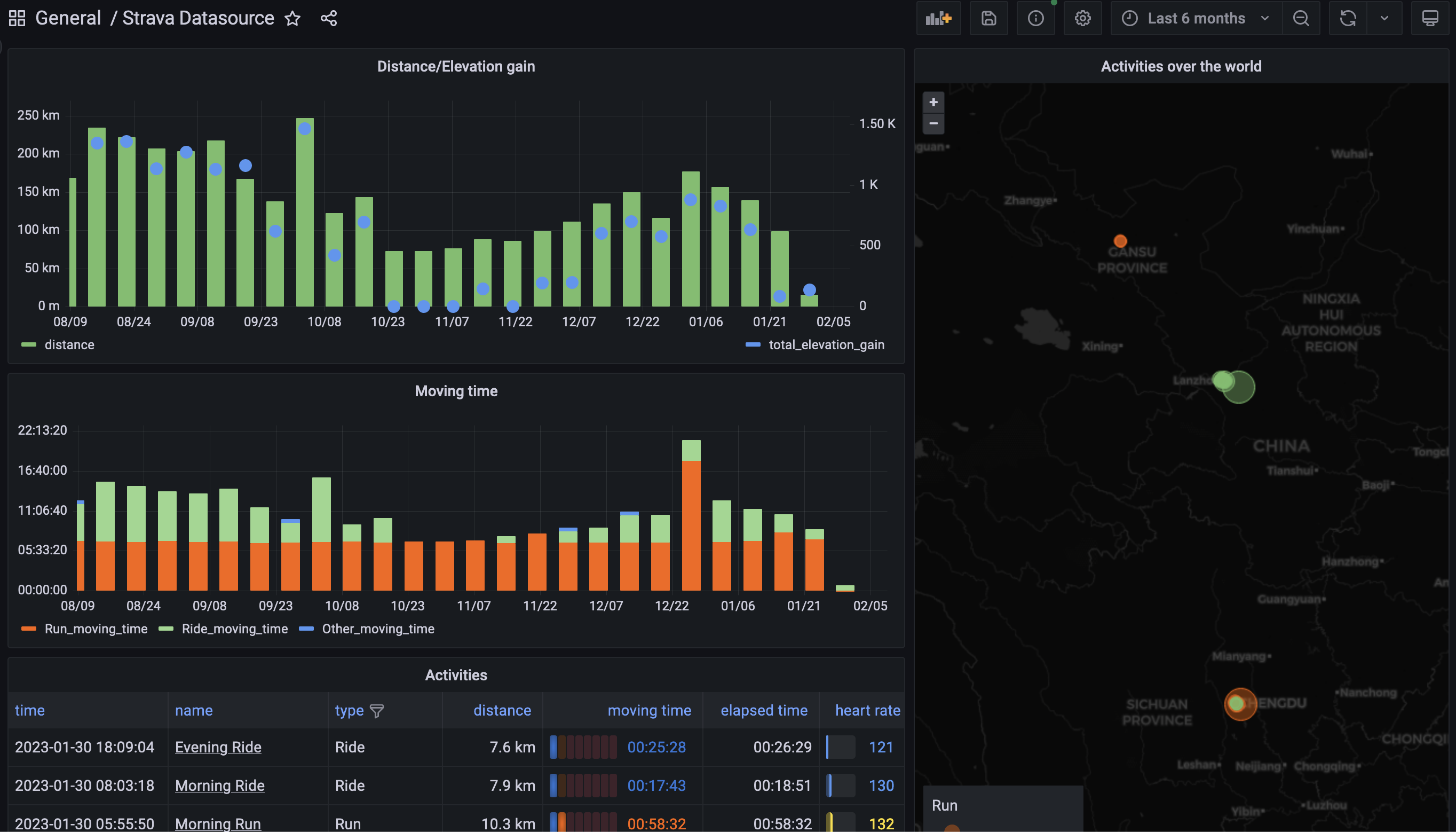
2. Strava Configuration
2.1 API Setup
2.1.1 Strava API login 2.1.2 Create APP
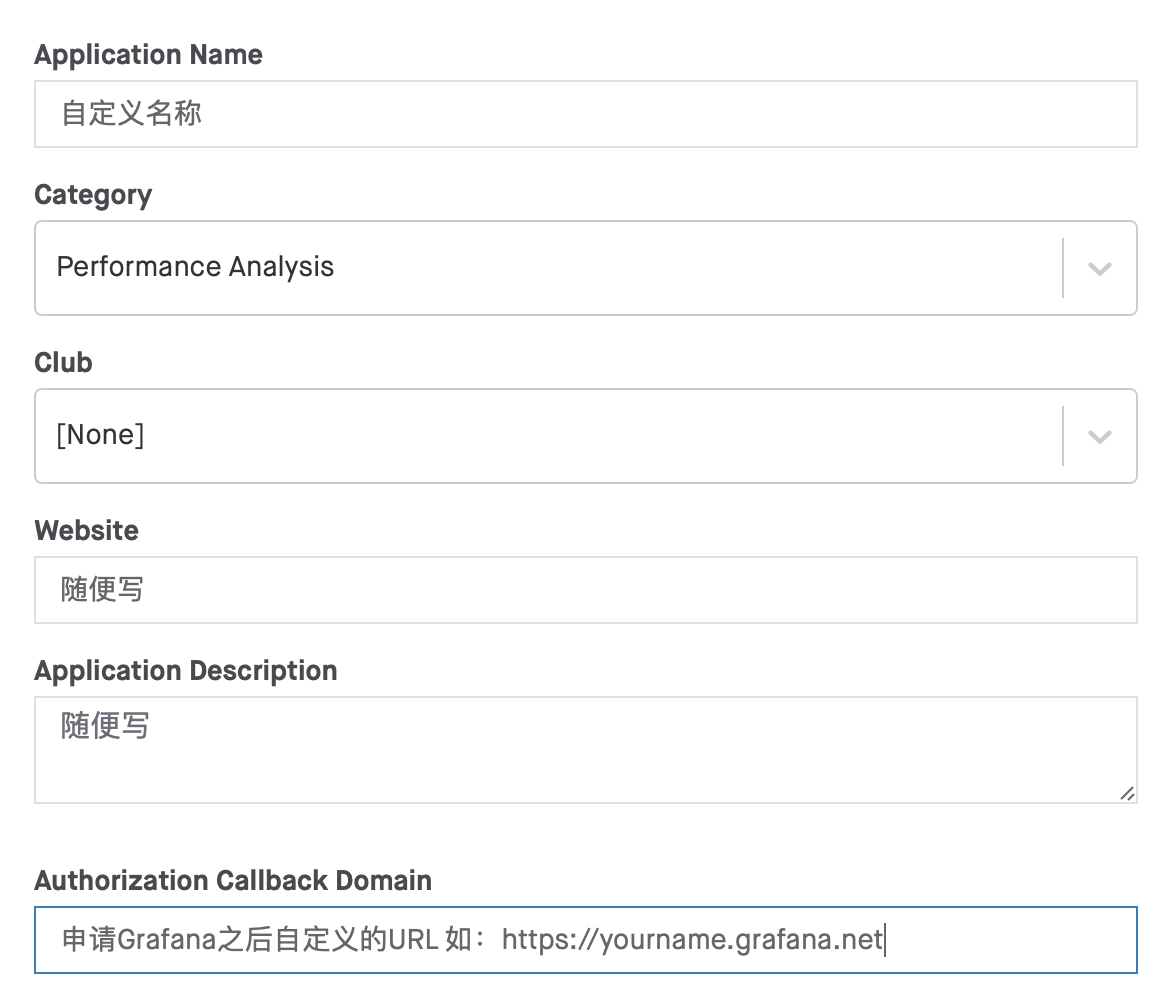
- Application Name: The app name, custom;
- Category: I don't really know the difference right now; if you do, drop me a message;
- Club: only one option,
None; - Authorization Callback Domain:
- The URL after you apply for a Grafana account; using anything else will fail authentication.
3. Grafana Configuration
3.1 Grafana - apply for a free account
3.2 Install Strava Data Source
Integrations and Connections --> search Strava --> Install via grafana.com
3.3 Configure Strava Authentication
Configuration --> Data Sources --> Strava
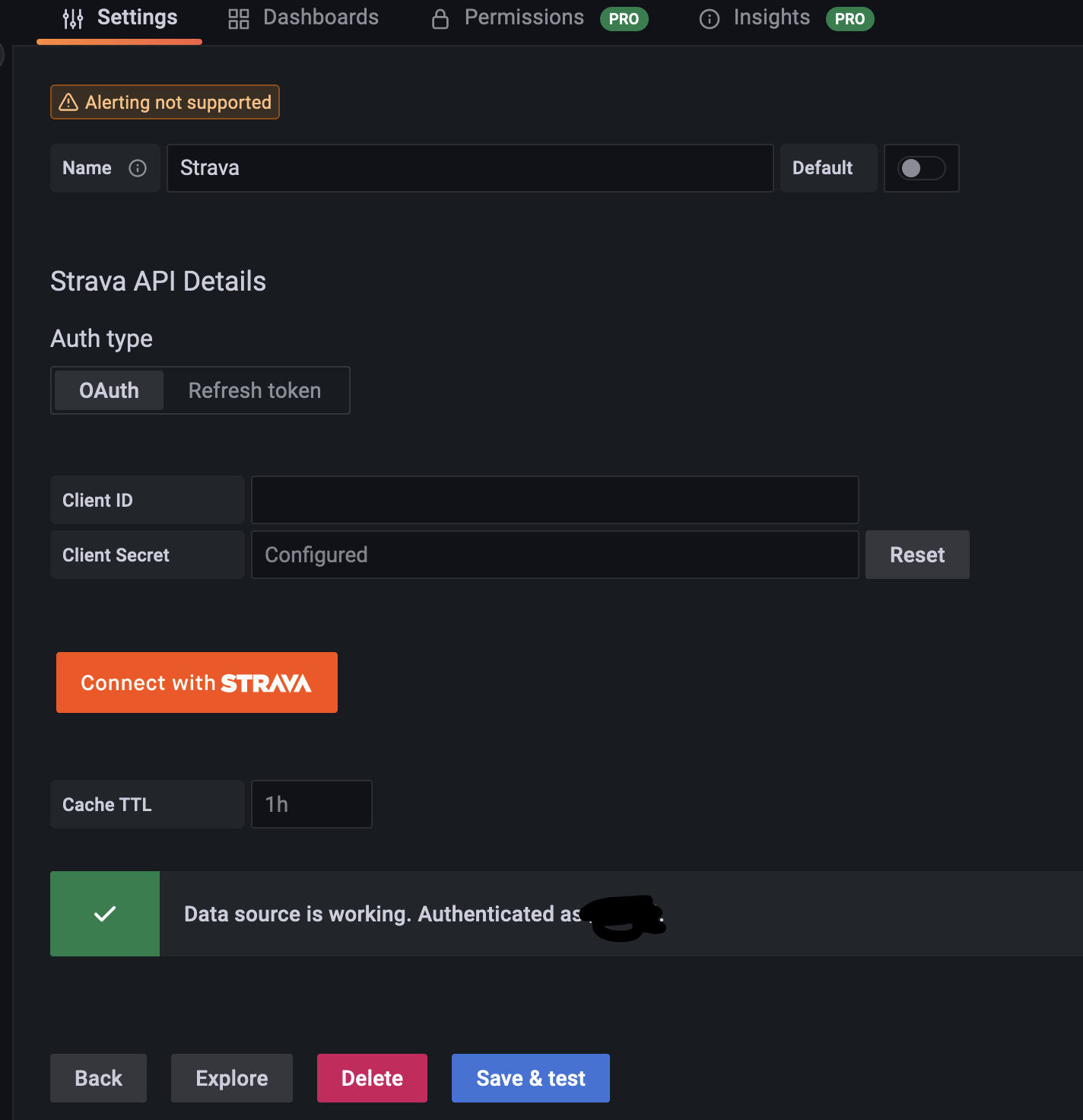
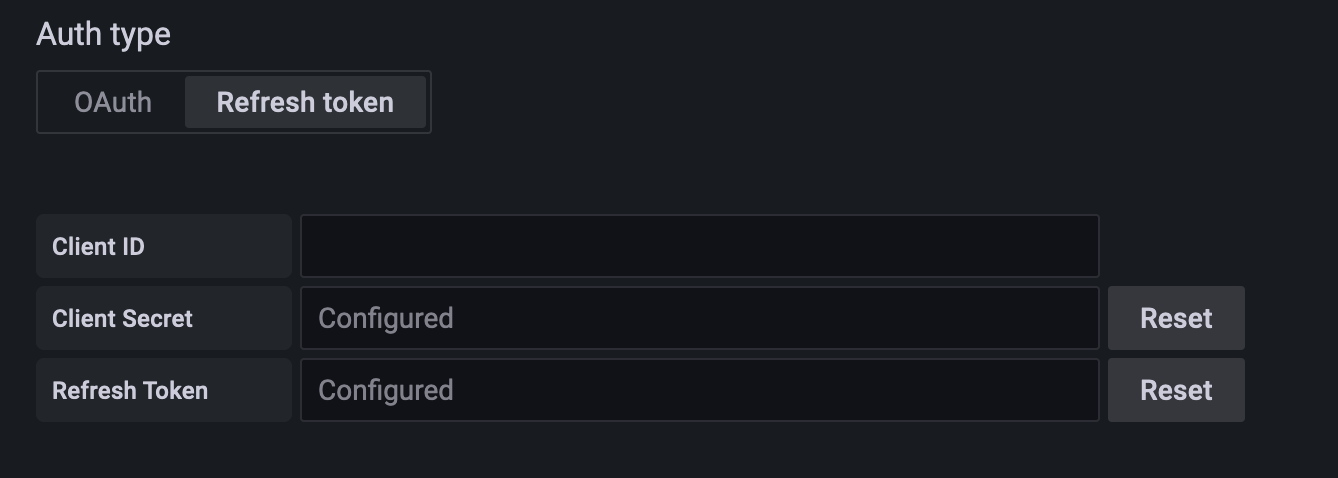
- Name: Custom
- OAuth
- Client ID: Copy from Strava API
- Client Secret: Copy
- Refresh token
- Client ID: Copy
- Client Secret: Copy
- Refresh Token: Copy
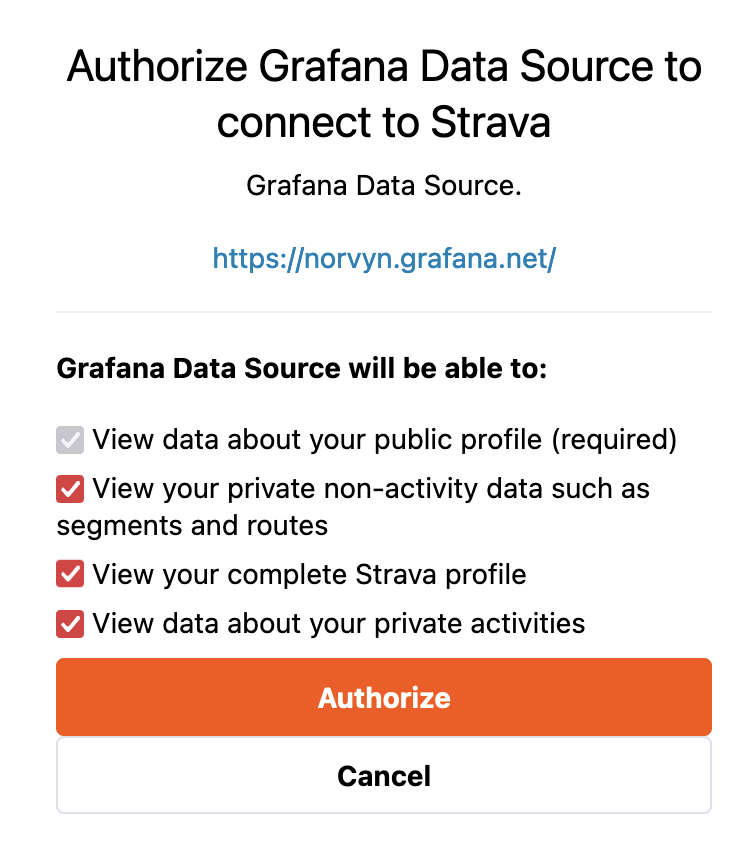
OAuth --> Connect with STRAVA --> Authorize --> Save & test
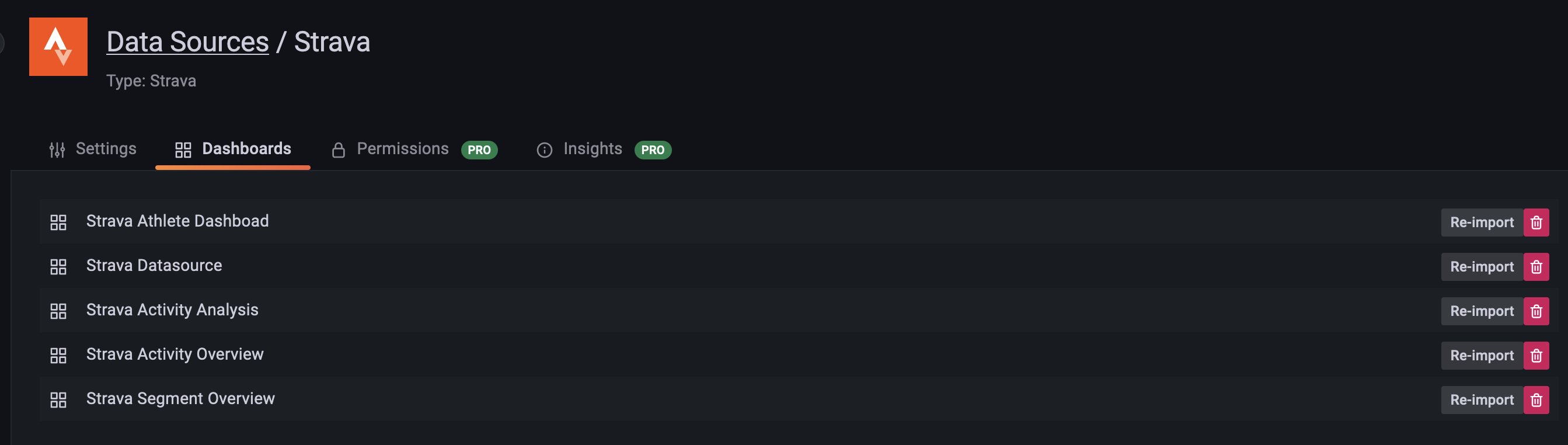
3.4 Import Dashboards Module
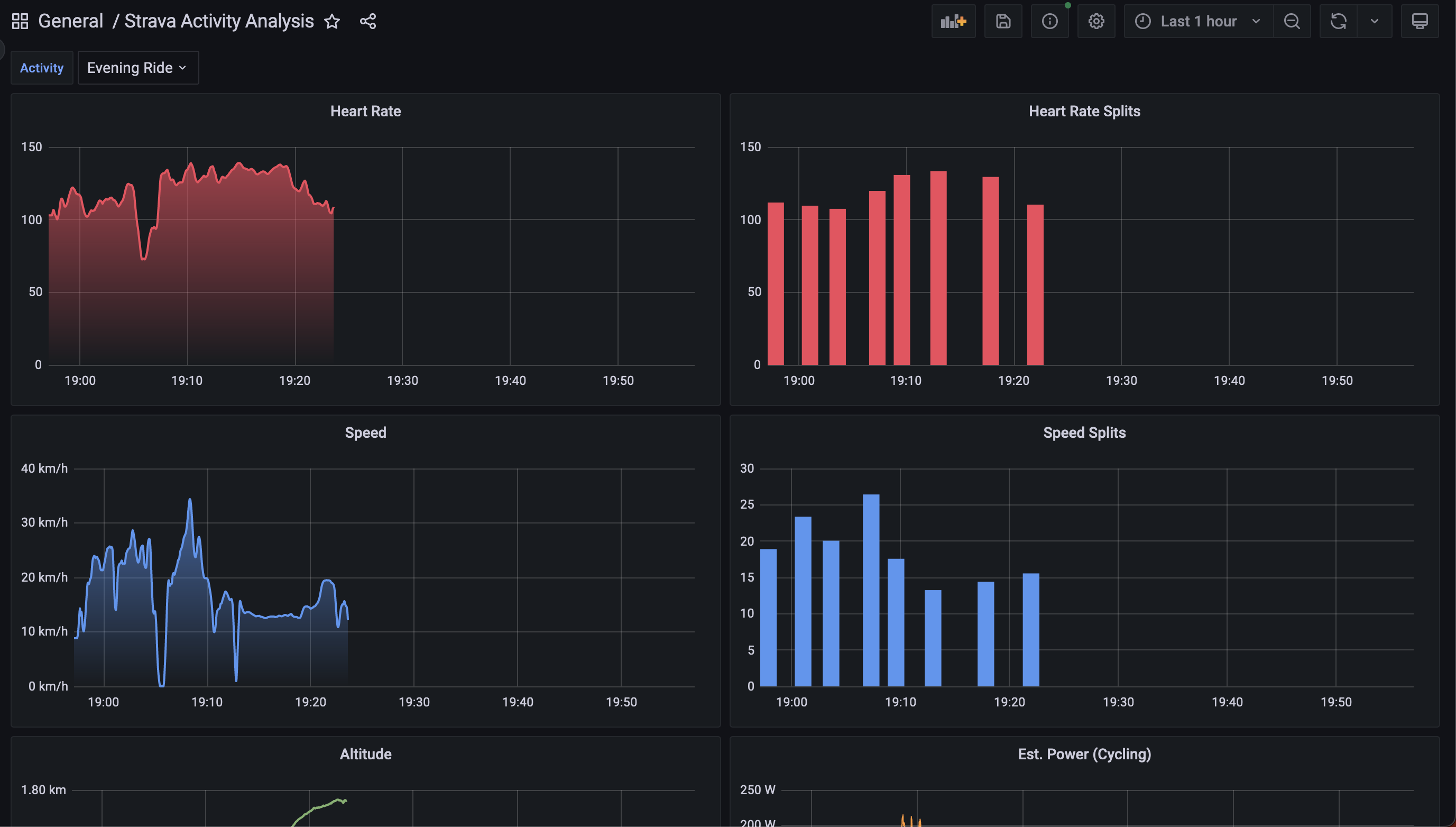
3.5 Viewing the Visualized Data
Dashboards --> Browse --> General --> Strava*
◆
评论Comments
加载中…Loading…
留下评论Leave a comment